
Migrating more than 6,800 users while reducing manual IT workload

Customer Snapshot
Organisation: Large NZ-owned retailer
Industry: Retail
Workforce: 12,000+ employees across 250+ locations
Environment: Active Directory, Exchange, Microsoft Office 365
Jobs to be done: Migrate users and shared resources, automate licence management and minimise disruption across a nationwide workforce
Solution - Activate Identity Operations
The Challenge
The retailer launched a Digital Workplace initiative to modernise communication and collaboration across its nationwide workforce. A central part of the programme was moving from on-premises Microsoft Exchange to Microsoft 365.
The migration involved thousands of user accounts, licences, shared mailboxes, meeting rooms and directory objects. Legacy account data also had to be checked before migration to prevent configuration issues from affecting provisioning.
Coordinating the rollout across more than 250 locations added further complexity. Without automation, IT teams would have faced a significant manual workload, with a greater risk of errors, delays and business disruption.
The Jobs the Retailer Needed to Get Done
The job was not simply to move accounts. The retailer needed to coordinate a large migration while maintaining accurate identity and access processes throughout the transition. They needed a reliable way to:
Prepare thousands of user accounts for migration
Identify and correct legacy account issues
Schedule migrations by department or location
Assign Microsoft 365 licences automatically
Migrate shared mailboxes and meeting rooms
Maintain accurate identity data
Minimise disruption across more than 250 locations
Automate ongoing provisioning after the migration
Where the Hidden Costs Were Building
Every account requiring manual validation added time to the migration. Each licence assignment, shared mailbox and meeting room created another task for IT. Errors in legacy identity data could also interrupt provisioning and delay the rollout.
Once the migration was complete, manual licence and account management would have created an ongoing workload. The retailer needed automation that supported both the transition and its future Microsoft 365 environment.
The Solution: Automate Migration Readiness and Provisioning
Activate was already managing identity lifecycle processes for the retailer. The platform was extended to automate migration preparation, scheduling, provisioning and licence management.

The solution provided:
Automated Active Directory account validation
Identification of legacy configuration issues
Migration scheduling by department or location
Role-based Microsoft 365 licence assignment
Automated removal of licences when employees left
Validation and migration of shared resources
Integration with payroll and identity data
Ongoing Microsoft 365 provisioning
An interactive dashboard gave migration teams control over the rollout schedule. Accounts and shared resources were checked before migration, allowing configuration issues to be addressed before they disrupted provisioning.
The Outcome: A Smooth Migration With Less Manual Work
The retailer migrated more than 6,800 users to Microsoft 365 through a structured rollout designed to minimise disruption across its locations.
Automated readiness checks improved the accuracy of account data before migration. Automated licence assignment and resource provisioning reduced repetitive work for IT teams and helped users gain access to collaboration services faster.
Activate now processes more than 137,000 automated changes annually. The same automation used during the migration continues to support identity lifecycle management, Microsoft 365 provisioning and licence governance.
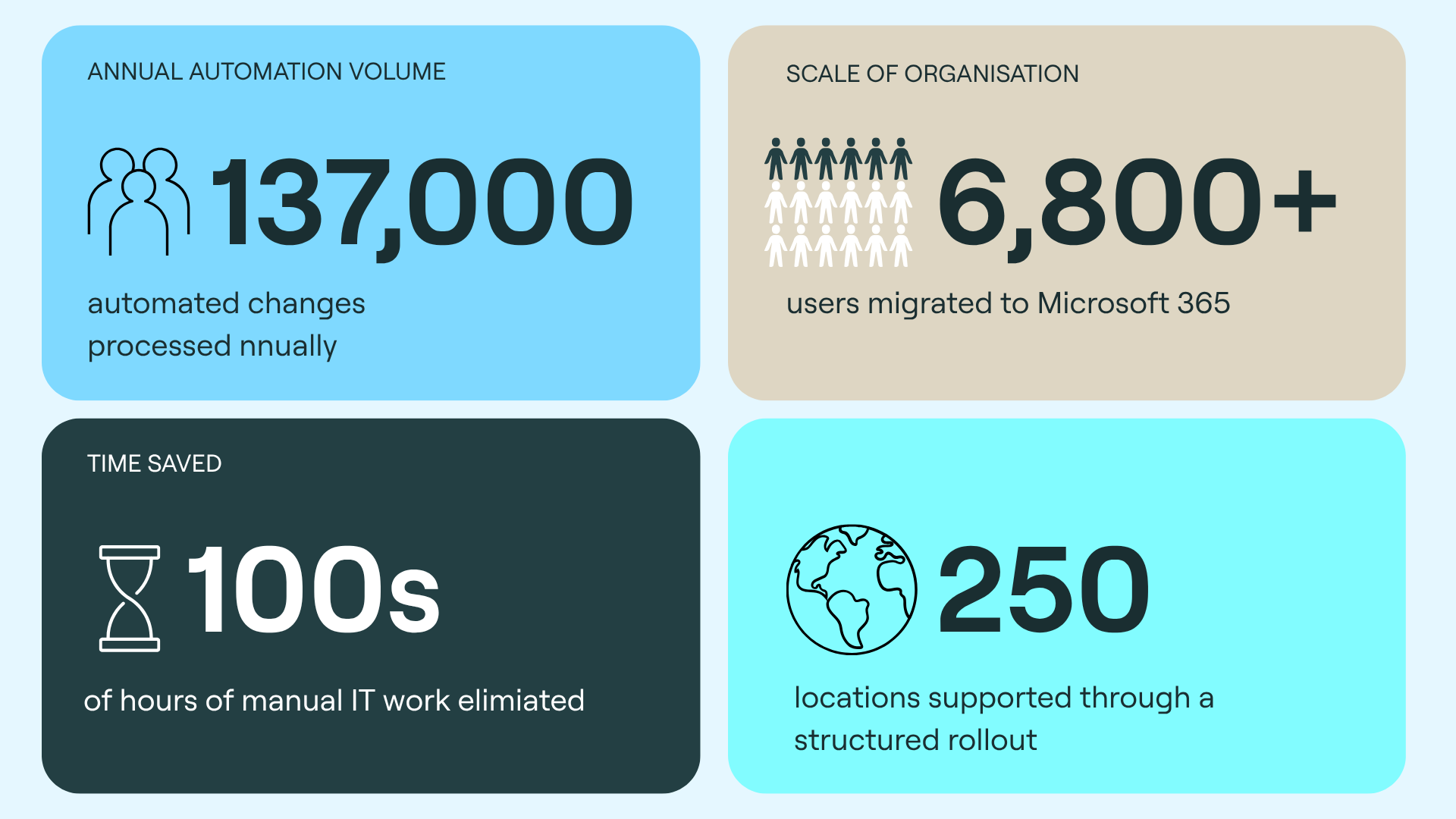
Key Outcomes
More than 6,800 users migrated to Microsoft 365
More than 137,000 automated changes processed annually
Hundreds of hours of manual IT work eliminated
Automated Microsoft 365 provisioning and licence management
Improved accuracy of user and directory data
Shared mailboxes and meeting rooms migrated consistently
Structured rollout across more than 250 locations
Minimal disruption to day-to-day operations
Ongoing automation after the migration
The Bottom Line
A Microsoft 365 migration at this scale involved far more than moving user accounts. Each identity, licence and shared resource had to be validated, scheduled and provisioned correctly.
By extending Activate across the migration, the retailer reduced manual effort, improved data accuracy and coordinated the rollout with minimal disruption.
The result was more than 6,800 users migrated and an identity operations platform that continues to automate over 137,000 changes each year.
Could Your Migration Team Automate More of the Work?
If a Microsoft 365 migration still depends on manual account checks, licence assignment or provisioning, Activate can automate the identity work before, during and after the transition.